How to Unban a WhatsApp Number (Complete Guide 2026)
To unban your WhatsApp number, you must submit an official appeal directly to WhatsApp.
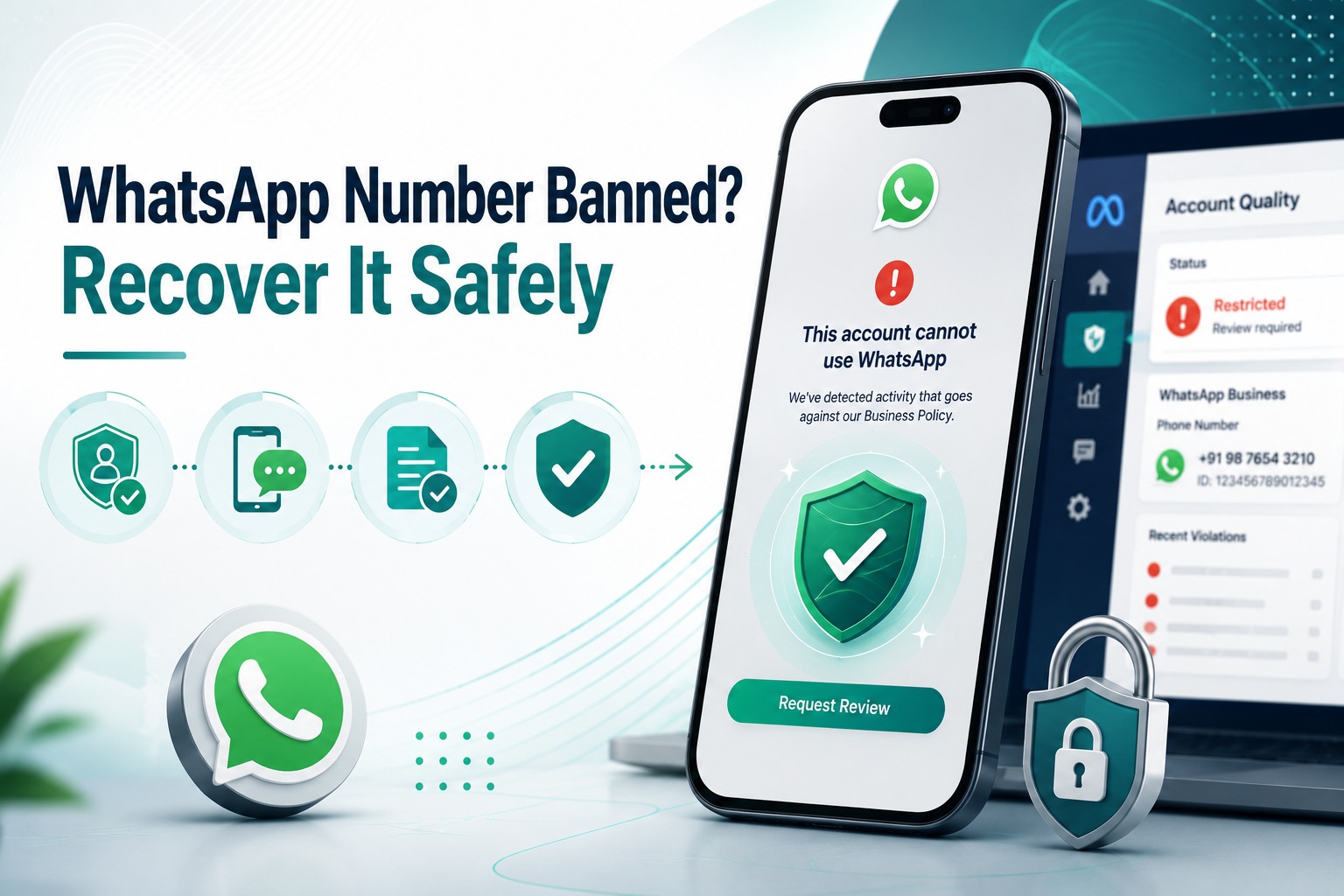
How to Unban a WhatsApp Number
Introduction
You log into WhatsApp Business to send a routine update, and instead of your chats, you see a banned notice. For any business running customer support, sales follow-ups, or marketing on WhatsApp, this is a genuine emergency every conversation, every lead, every open ticket suddenly goes silent.
The good news is that most bans are recoverable, and the process to unban a WhatsApp number is more structured than it feels in the moment. This guide walks through exactly how to tell what kind of ban you're dealing with, the official steps to appeal it through Meta, realistic timelines to expect, and how to make sure it doesn't happen again whether you're on the free WhatsApp Business app or the official WhatsApp Business API.
Table of Contents
1. What Does It Mean When WhatsApp Bans a Number?
2. Temporary Ban vs Permanent Ban: How to Tell the Difference
3. Step-by-Step: How to Unban Your WhatsApp Number
4. How to Unban a WhatsApp Business API Number
5. Realistic Timelines for Getting Unbanned
6. What to Avoid During an Appeal
7. How to Prevent Future Bans
8. Real Business Examples
9. Comparison Table: Recovery Options
10.Common Mistakes to Avoid
11.FAQs
12.Conclusion & CTA
What Does It Mean When WhatsApp Bans a Number?
A WhatsApp ban is a restriction Meta places on a phone number when its systems automated or human-reviewed detect a violation of WhatsApp's Business or Commerce Policies. Once banned, that number can no longer send or receive messages on WhatsApp until the restriction is lifted.
Bans can happen on the free WhatsApp Business app or on the official WhatsApp Business API, though the causes and recovery paths differ slightly between the two. The most common triggers include sending bulk or unsolicited messages, using unofficial or modified WhatsApp apps, a high volume of user blocks or spam reports, and messaging contacts who never opted in.
Whatever the cause, the first rule of recovery is the same: only Meta can lift a ban. No third-party tool, paid service, or “guaranteed unban” offer can bypass this anyone claiming otherwise is running a scam.
Temporary Ban vs Permanent Ban: How to Tell the Difference
Before you can fix a ban, you need to know which kind you're facing the recovery path is different for each.
Temporary bans are usually triggered by a single flagged incident, like a sudden spike in messages or a handful of user reports. These often lift automatically, typically within 24 to 72 hours, without any action needed beyond waiting and not repeating the behavior that triggered it.
Permanent bans happen after repeated violations or a serious policy breach, and they do not resolve on their own. Recovering from a permanent ban requires a formal appeal through Meta's official review process, and even then, recovery isn't guaranteed — it depends on the severity and history of the violation.
You can usually tell which type you have from the banned notice itself: temporary bans often show a countdown or “try again later” message, while permanent bans typically present a “Request a Review” option with no time estimate.
Step-by-Step: How to Unban Your WhatsApp Number
If you're on the free WhatsApp Business app, here's the process to follow:
Step 1: Open the banned notice screen. When you open WhatsApp and see the restriction message, look for a “Request a Review” or “Contact Us” button within the app itself.
Step 2: Verify your number. You'll typically be asked to confirm your phone number via an SMS verification code to prove ownership of the account being appealed.
Step 3: Submit a clear, honest explanation. Describe how you were using WhatsApp, and if you were using a third-party or unofficial app, disclose that and confirm you've since switched to an official channel. Vague or defensive appeals are less effective than specific, factual ones.
Step 4: Wait for Meta's response. Avoid submitting multiple duplicate requests this can slow down review rather than speed it up. One clear, complete submission is better than several rushed ones.
Step 5: If the in-app appeal fails, email support. You can email [email protected] with your phone number and a concise explanation requesting a manual review.
How to Unban a WhatsApp Business API Number
If your number runs on the official WhatsApp Business API (as opposed to the free app), the process is more structured and runs through Meta Business Suite rather than the WhatsApp app itself.
Step 1: Check the Account Quality tab. Log into Meta Business Suite, navigate to Account Quality, and locate the restricted asset this will usually show the specific reason for the restriction.
Step 2: Gather your evidence. Collect opt-in records, business verification documents, message logs, and anything else that demonstrates your messaging was compliant and legitimate.
Step 3: Select “Request Review.” Submit your appeal with a factual explanation referencing your WABA ID and phone number, along with the supporting evidence you gathered.
Step 4: Loop in your BSP (Business Solution Provider). If you're messaging through a provider like SyncWABA, your provider can often help investigate the restriction, confirm your account's compliance history, and assist with escalation on your behalf.
Step 5: Submit once, and submit completely. Meta generally limits review requests to a single ticket per restriction, so make sure your first submission is thorough rather than rushing to appeal immediately and following up with fragments of information.
Because WhatsApp Business API accounts are tied to a verified business (WABA), appeals here tend to move through a more formal, documented process than the consumer app which is one reason many growing businesses migrate to the official API in the first place.
Realistic Timelines for Getting Unbanned
Timelines vary and Meta does not publish a fixed SLA, but based on how most cases play out:
• Temporary bans are typically resolved within 24 to 72 hours, often without a manual appeal.
• Permanent bans requiring a formal review can take longer, and Meta does not guarantee a specific turnaround time.
• API-based restrictions reviewed through Meta Business Suite tend to follow a more documented, case-based timeline, especially when a BSP is involved in escalation.
Patience matters here. Submitting repeated appeals or trying workarounds like re-registering the number too quickly can extend review times rather than shorten them.
What to Avoid During an Appeal
• Don't pay for “guaranteed unban” services. Only Meta can lift a ban no third-party tool has special access to reverse it, and paying for one is a common scam.
• Don't submit multiple duplicate appeals. This can confuse or slow down your case rather than speed it up.
• Don't immediately register a new number without understanding the cause. If the underlying behavior (like bulk messaging without opt-in) isn't fixed, a new number can get flagged just as quickly.
• Don't use unofficial or modified WhatsApp apps during or after the appeal this is one of the most common reasons appeals are rejected outright.
How to Prevent Future Bans
Whether or not your appeal succeeds, the long-term fix is the same: build messaging habits that keep your account in good standing.
• Only message contacts who've explicitly opted in and make opting out easy and immediate.
• Use the official WhatsApp Business API instead of unofficial bulk-sender tools or modified apps, which are the single most common cause of bans.
• Use approved message templates for business-initiated conversations outside the customer service window.
• Warm up new numbers gradually by starting with low message volumes and scaling up over time rather than sending high volumes immediately.
• Monitor your quality rating in Meta Business Suite regularly, so you catch a declining trend before it triggers a restriction.
Real Business Examples
Marketing example: An e-commerce brand sending a festive sale broadcast to a purchased contact list saw a spike in user reports and was temporarily banned. After switching to a properly opted-in list and using approved templates, their new campaigns ran without issue.
Support example: A SaaS company's support number was mistakenly flagged after a sudden volume spike from a product outage. The temporary ban lifted within 48 hours once message volume normalized.
Sales example: An agency using a third-party bulk-sending tool for cold outreach had its client's number permanently banned. After appealing and disclosing the tool usage, they migrated the client to the official WhatsApp Business API through a BSP to prevent recurrence.
Developer example: A development team managing multiple client WABAs used the Account Quality dashboard to catch a declining quality rating on one account before it escalated to a full restriction, adjusting template usage in time.
Comparison Table: Recovery Options by Ban Type
|
Ban Type |
Where It Happens |
Recovery Path |
Typical Timeline |
|
Temporary ban (consumer app) |
WhatsApp Business App |
Often lifts automatically; in-app Request a Review if not |
24-72 hours |
|
Permanent ban (consumer app) |
WhatsApp Business App |
In-app appeal, then email [email protected] |
Varies, not guaranteed |
|
API restriction |
Meta Business Suite (Account Quality) |
Request Review with evidence; BSP can assist escalation |
Case-based, not fixed |
|
Quality rating decline |
Meta Business Suite |
Proactive fix before full restriction occurs |
Ongoing monitoring |
Common Mistakes to Avoid
• Assuming a temporary ban will always resolve itself without changing the behavior that triggered it repeated flags escalate to permanent bans.
• Ignoring the specific reason shown in Account Quality and submitting a generic appeal instead of addressing the actual violation.
• Ramping up message volume too fast on a new number after recovery, which can trigger another restriction.
• Not keeping opt-in records which are often the strongest evidence in a successful appeal.
• Continuing to use unofficial apps or bulk-senders after recovery, which makes a repeat ban highly likely.
Frequently Asked Questions
1. How do I unban my WhatsApp number?
Open the banned notice in the WhatsApp app and look for a “Request a Review” option, verify your number via SMS, and submit a clear, honest explanation of your messaging activity. If you're on the WhatsApp Business API, the process runs through Meta Business Suite's Account Quality tab instead, where you locate the restricted asset and select Request Review with supporting evidence.
2. How long does it take to unban a WhatsApp number?
Temporary bans are usually resolved within 24 to 72 hours, often without a manual appeal. Permanent bans that require a formal review can take longer, and Meta does not publish a fixed timeline for these cases. Submitting a complete, well-documented appeal the first time tends to move faster than multiple incomplete follow-ups.
3. Can a permanently banned WhatsApp number be recovered?
Sometimes, through a formal appeal via Meta's official review process, but recovery isn't guaranteed — it depends on the severity and history of the violation. If the appeal is unsuccessful, the realistic path forward is registering a new number on the official WhatsApp Business API and following compliant messaging practices from the start.
4. Why was my WhatsApp Business number banned?
The most common reasons include sending bulk or unsolicited messages, using unofficial or modified WhatsApp apps, receiving a high volume of user blocks or spam reports, and messaging contacts who never opted in. On the Business API, a declining quality rating can also lead to messaging restrictions before an outright ban.
5. Can a third-party service unban my WhatsApp number for a fee?
No. Only Meta/WhatsApp can lift a ban through its official review process. Any service claiming it can guarantee an unban for a fee is not legitimate, and paying for one puts your business at further risk without improving your actual chances of recovery.
6. What's the difference between a temporary and permanent WhatsApp ban?
A temporary ban is usually triggered by a single flagged incident and often lifts automatically within a short window, typically 24 to 72 hours. A permanent ban follows repeated or serious violations and does not resolve on its own it requires a formal appeal, and even then, recovery isn't guaranteed.
7. How do I check why my WhatsApp Business API number was restricted?
Log into Meta Business Suite and go to the Account Quality tab, where restricted assets typically display the specific reason for the restriction. This is the most reliable way to understand the actual cause before submitting an appeal, rather than guessing.
8. What evidence should I include in a WhatsApp ban appeal?
Useful evidence includes opt-in records showing contacts agreed to receive messages, business verification documents, and message logs demonstrating compliant, conversational use. For API accounts, referencing your WABA ID and phone number alongside this evidence in the Request Review submission strengthens the appeal.
9. Should I submit multiple appeals if I don't hear back quickly?
No. Submitting repeated or duplicate appeals can slow down your case rather than speed it up, since Meta generally limits review to a single ticket per restriction. It's better to submit one complete, well-documented appeal and wait for a response.
10. Can my WhatsApp Business Solution Provider help me get unbanned?
Yes. If you're messaging through a BSP like SyncWABA, your provider can often help investigate the restriction, confirm your account's compliance history, and assist with escalating the appeal through partner channels particularly useful for WhatsApp Business API restrictions.
11. Will registering a new WhatsApp number avoid future bans?
Only if the underlying cause is fixed. A new number used the same way bulk messaging without opt-in, unofficial apps, or too-fast volume ramp-up can get flagged just as quickly. A new number should be paired with compliant practices: verified opt-in, approved templates, and gradual volume increases.
12. What is a WhatsApp quality rating and how does it relate to bans?
Your quality rating, visible in Meta Business Suite, reflects recent recipient feedback like blocks and reports. A declining rating can lead to messaging limits before an outright ban, which is why monitoring it regularly helps catch problems early rather than after a restriction has already been applied.
13. Does using the official WhatsApp Business API reduce ban risk?
Yes, generally. Businesses using the official API with approved templates, recorded opt-ins, and active quality rating monitoring tend to face fewer ban events than those using unofficial bulk-sender tools or modified apps, which are frequently auto-detected and flagged by Meta's systems.
14. Can I appeal a WhatsApp ban by email?
Yes, for the consumer WhatsApp Business app, if the in-app “Request a Review” option doesn't resolve the issue, you can email [email protected] with your phone number and a clear explanation requesting manual review. For the Business API, appeals are typically handled through Meta Business Suite rather than email.
15. What should I do while waiting for my WhatsApp ban appeal to be reviewed?
Avoid submitting additional appeals, avoid registering new numbers with the same unresolved behavior, and don't use unofficial apps or workarounds. Use the waiting period to review and fix whatever caused the restriction, so you're ready to message compliantly the moment access is restored.
Conclusion
A WhatsApp ban feels like an emergency in the moment, but most cases follow a predictable path: diagnose the type of ban, gather your evidence, submit one clear and complete appeal, and be patient with Meta's review process. The businesses that recover fastest are the ones that address the actual cause not just the symptom and use the recovery as a reason to move onto compliant, sustainable messaging practices going forward.
If you're managing this on the official WhatsApp Business API, having a Business Solution Provider like SyncWABA in your corner means you're not navigating Meta's review process alone from quality rating monitoring to appeal support to preventing repeat bans with proper opt-in and template workflows.
Don't risk your business's WhatsApp access. Start your free trial with SyncWABA or book a demo to see how compliant messaging keeps your number safe.
Ready to Get Started with WhatsApp Business API?
Join 1,000+ businesses using SyncWABA to grow with WhatsApp. Start free today!